


록키리눅스 네트워크 설정, 즉 IP주소나 Hostname을 변경해보겠습니다.
CentOS 7까지는 /etc/sysconfig/network-script 아래에 있는 ifcfg-"이더넷명" 파일을 수정한 다음, network.service를 재시작해서 적용했는데, 록키 리눅스(Rocky Linux)에서는 NetworkManager를 사용해서 네트워크 설정을 적용합니다. GUI 환경에서는 nmtui, CUI 환경에서는 nmcli 로 설정합니다.
1. nmtui
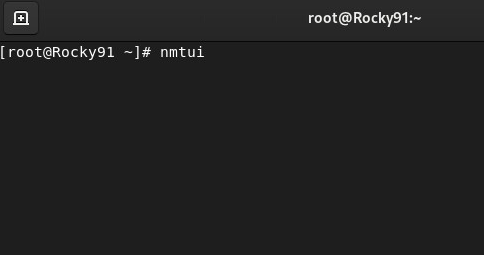
터미널에서 nmtui를 실행합니다.
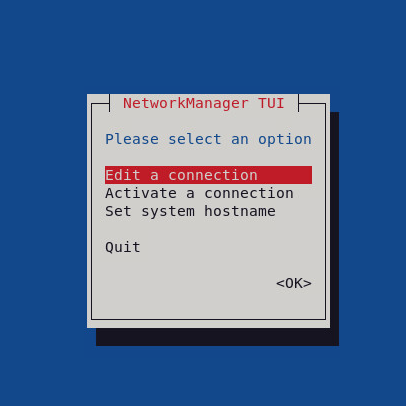
IP주소를 변경하기 위해서는 Edit a connection을 hostname을 변경하기 위해서는 Set system hostname으로 진입합니다.
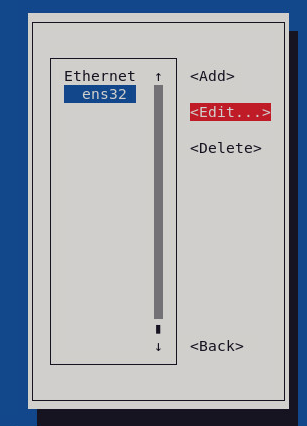
Ethernet 어뎁터 ens32를 선택하고 Edit로 들어갑니다.
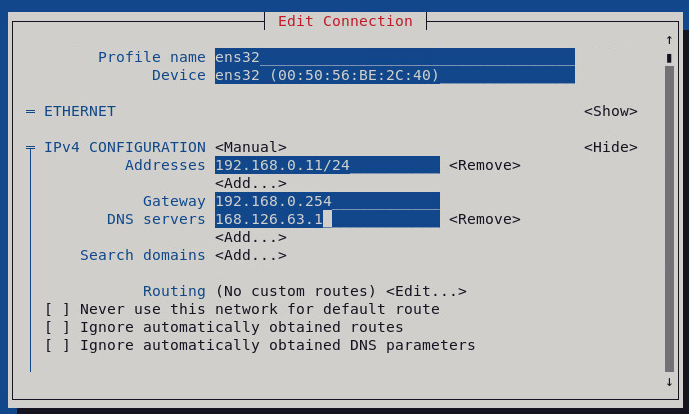
원하는 IP주소를 입력합니다.
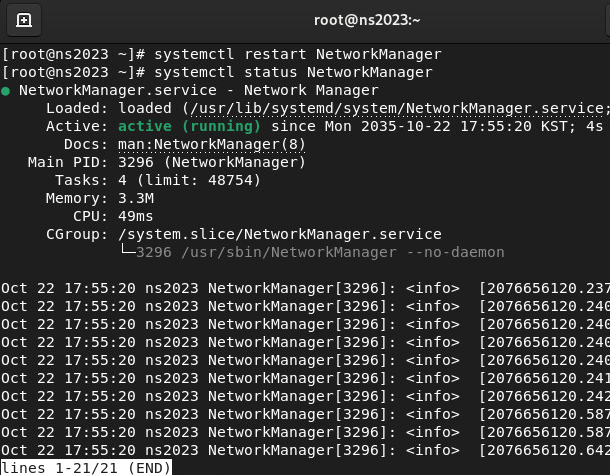
# systemctl restart NetworkManager
NetworkManager를 재시작하면, 변경된 IP주소 및 호스트네임이 적용됩니다.
2. nmcli
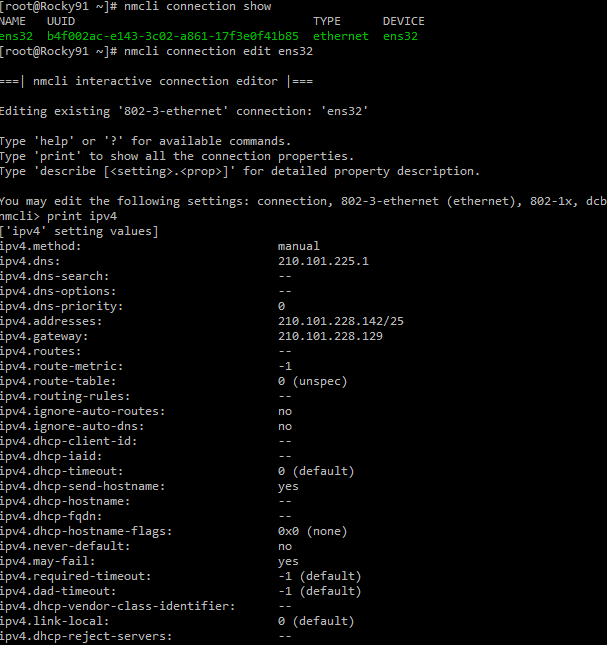
nmcli는 위 # nmcli connection show 와 같이 리눅스 쉘에서 바로 명령어를 실행할 수도 있고,
아래와 같이 nmcli 모드에서 명령어를 실행할 수도 있습니다.
# nmcli connection edit ens32
nmcli> print ipv4
[root@Rocky91 ~]# nmcli connection edit ens32
===| nmcli interactive connection editor |===
Editing existing '802-3-ethernet' connection: 'ens32'
Type 'help' or '?' for available commands.
Type 'print' to show all the connection properties.
Type 'describe [<setting>.<prop>]' for detailed property description.
You may edit the following settings: connection, 802-3-ethernet (ethernet), 802-1x, dcb, sriov, ethtool, match, ipv4, ipv6, hostname, tc, proxy
nmcli> print ipv4
['ipv4' setting values]
ipv4.method: manual
ipv4.dns: 8.8.8.8
ipv4.dns-search: --
ipv4.dns-options: --
ipv4.dns-priority: 0
ipv4.addresses: 192.168.0.1/24
ipv4.gateway: 192.168.0.254
ipv4.routes: --
ipv4.route-metric: -1
ipv4.route-table: 0 (unspec)
ipv4.routing-rules: --
ipv4.ignore-auto-routes: no
ipv4.ignore-auto-dns: no
ipv4.dhcp-client-id: --
ipv4.dhcp-iaid: --
ipv4.dhcp-timeout: 0 (default)
ipv4.dhcp-send-hostname: yes
ipv4.dhcp-hostname: --
ipv4.dhcp-fqdn: --
ipv4.dhcp-hostname-flags: 0x0 (none)
ipv4.never-default: no
ipv4.may-fail: yes
ipv4.required-timeout: -1 (default)
ipv4.dad-timeout: -1 (default)
ipv4.dhcp-vendor-class-identifier: --
ipv4.link-local: 0 (default)
ipv4.dhcp-reject-servers: --

nmcli> set ipv4.address "IP주소" --> 신규 IP 추가
nmcli> set ipv4.gateway "IP주소" --> 신규 gateway 추가
nmcli> set ipv4.dns "dns주소" --> 신규 DNS 추가
nmcli> save
Connection 'ens32' (b4f002ac-e143-3c02-a861-17f3e5) successfully updated.
nmcli> activate
위에 설정한 내용이 반영됩니다.
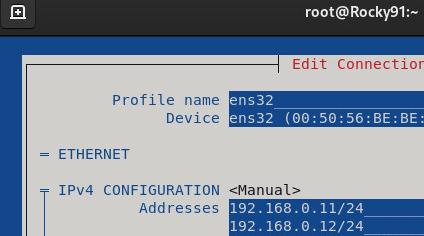
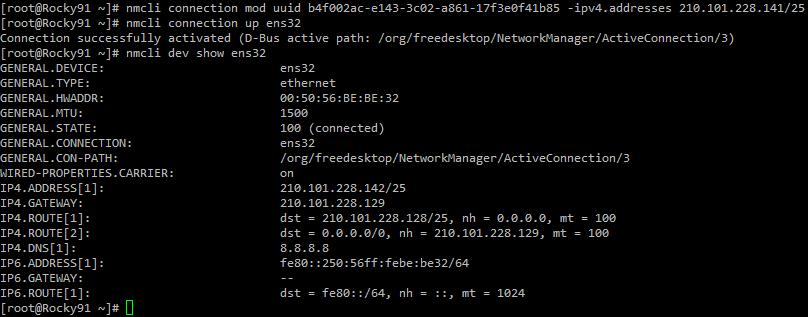
주의할 점은, 기존설정을 삭제하는 것이 아니고 신규설정을 추가하게 됩니다.
필요없는 네트워크 설정은 nmtui, nmcli 에서 삭제 후 activate 합니다.
[root@Rocky91 ~]# nmcli connection mod uuid "uuid" -ipv4.addresses "아이피"
nmcli 모드에서 activate 하거나,
nmcli> activate
리눅스쉘에서 # nmcli connection up ens32 를 하면 변경사항이 반영됩니다.
[root@Rocky91 ~]# nmcli connection show
NAME UUID TYPE DEVICE
ens32 b4f002ac-e143-3c02-a861-17f3e0f41b85 ethernet ens32
[root@Rocky91 ~]# nmcli connection edit ens32
===| nmcli interactive connection editor |===
Editing existing '802-3-ethernet' connection: 'ens32'
Type 'help' or '?' for available commands.
Type 'print' to show all the connection properties.
Type 'describe [<setting>.<prop>]' for detailed property description.
You may edit the following settings: connection, 802-3-ethernet (ethernet), 802-1x, dcb, sriov, ethtool, match, ipv4, ipv6, hostname, tc, proxy
nmcli> print ipv4
['ipv4' setting values]
ipv4.method: manual
ipv4.dns: 210.101.225.1
ipv4.dns-search: --
ipv4.dns-options: --
ipv4.dns-priority: 0
ipv4.addresses: 210.101.228.142/25
ipv4.gateway: 210.101.228.129
ipv4.routes: --
ipv4.route-metric: -1
ipv4.route-table: 0 (unspec)
ipv4.routing-rules: --
ipv4.ignore-auto-routes: no
ipv4.ignore-auto-dns: no
ipv4.dhcp-client-id: --
ipv4.dhcp-iaid: --
ipv4.dhcp-timeout: 0 (default)
ipv4.dhcp-send-hostname: yes
ipv4.dhcp-hostname: --
ipv4.dhcp-fqdn: --
ipv4.dhcp-hostname-flags: 0x0 (none)
ipv4.never-default: no
ipv4.may-fail: yes
ipv4.required-timeout: -1 (default)
ipv4.dad-timeout: -1 (default)
ipv4.dhcp-vendor-class-identifier: --
ipv4.link-local: 0 (default)
ipv4.dhcp-reject-servers: --
참고: 록키리눅스 네트워크 설정하기
